Japan Airlines Seat Selection
The seat selection process can be confusing at times. Some airlines allow you to choose seats immediately, while others charge for seats depending on the class of service or how you booked. And sometimes when you book a flight via a partner, you have to go to the operating airline directly to select your seat after booking. Japan Airlines seat selection for flights booked with a partner follow this last process. Since I personally love to book Japan Airlines with my American Airlines miles when I find a good redemption, I thought I would break down how I go in and choose seats.
Find Your Booking Code
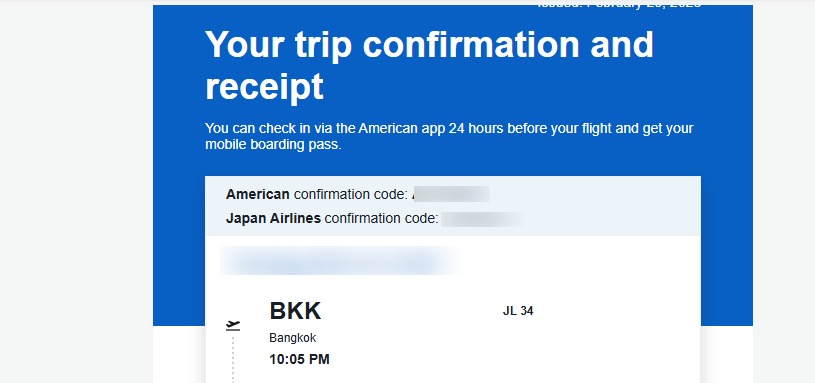
In most cases the partner airline (AA in this case) should give you two booking reference codes when you book a flight: their booking code and the Japan Airlines booking code. For AA, it is right in the initial email you receive. If for any reason you do not get it, reach out to the airline you booked with. Often, this can be done via social media or a phone call.
Choosing Your Seats
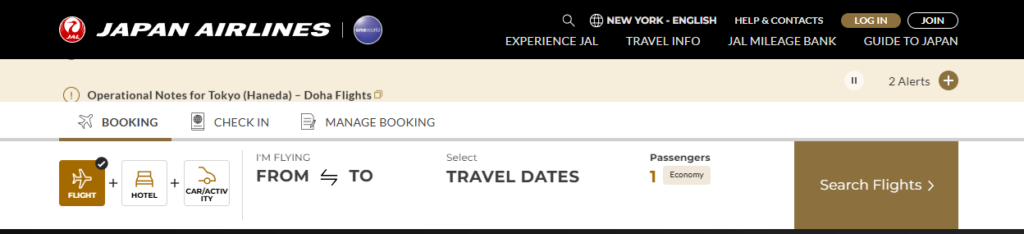
Before you do anything, verify all the aircraft types and be sure to read over our seat selection guide. Watch any video reviews and look at the cabins so you have an idea of where you want to sit. Then go to Japan Airlines and choose “Manage Booking”. This will give you the next set of boxes. Choose “Manage Flight Booking”.

Entering Your Information
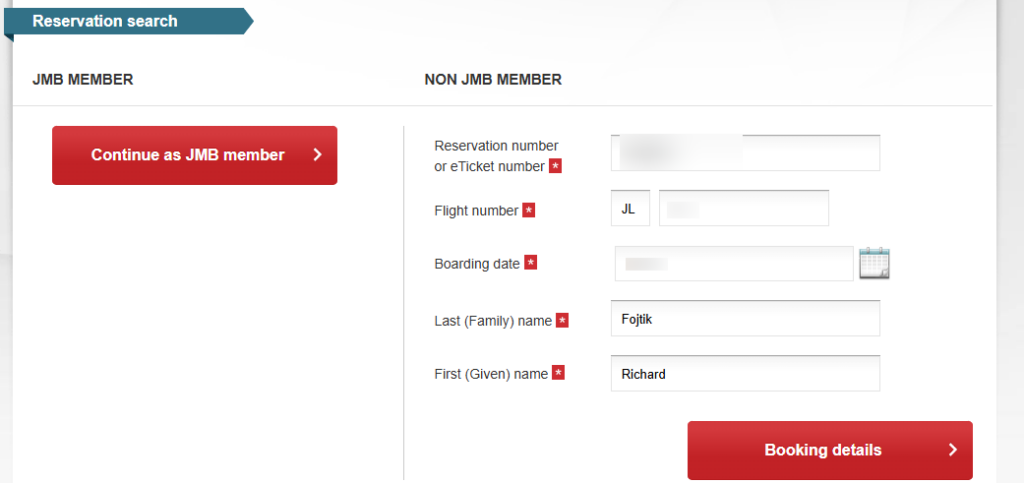
It is IMPORTANT to not try and log in. Simply enter all your information and use the Japan Airlines Booking code from the email. After it is entered, click on “Booking Details”.
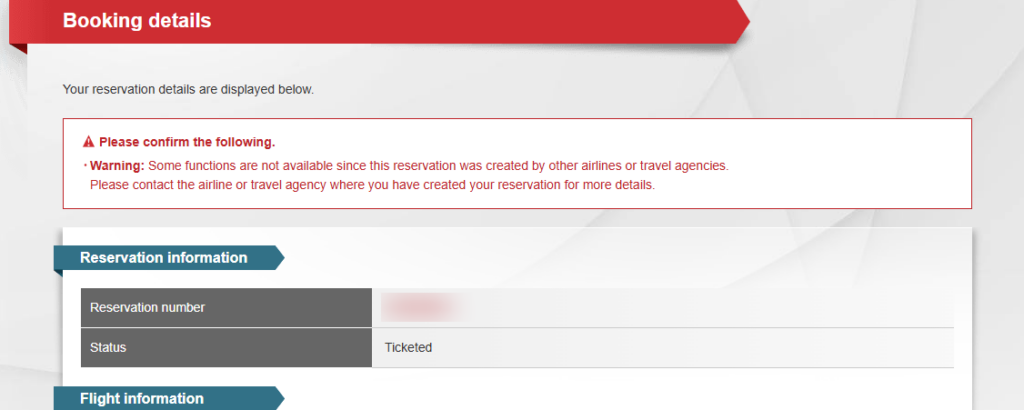
Do not be alarmed on the next screen as you may see lots of red. It's just telling you that you may not have access to everything since it was booked via a partner.
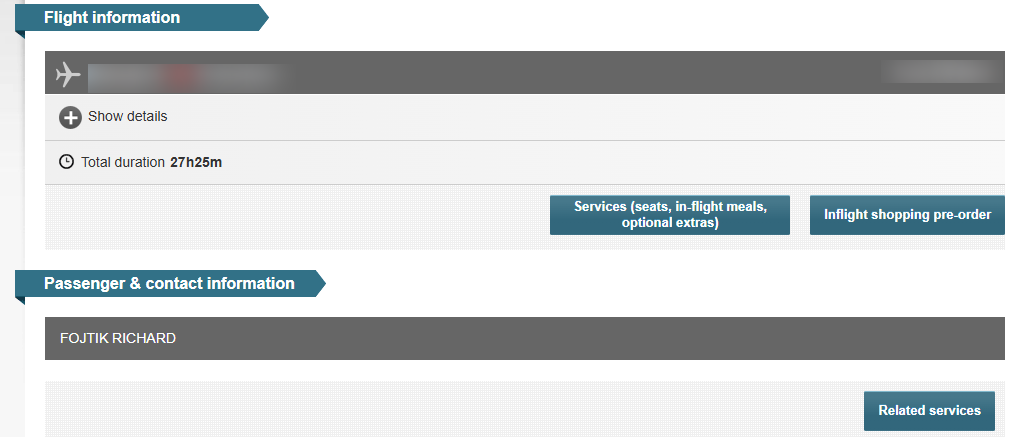
Once you scroll down you will see the screen where you can click on “Services”. As you can see it shows seats are part of that.
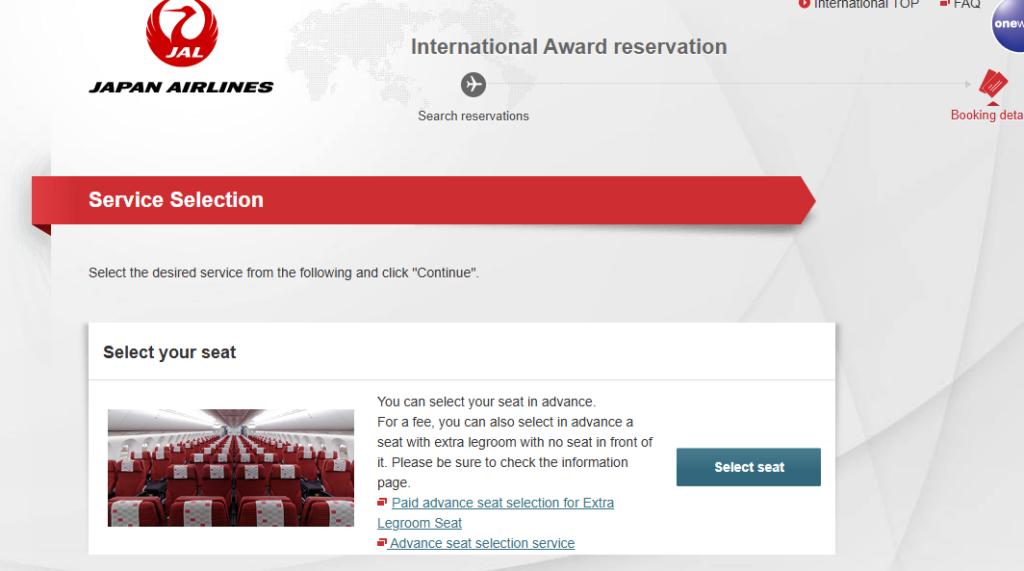
Once you have done that seat selection is usually the first option. Just click on “Select Seat”.
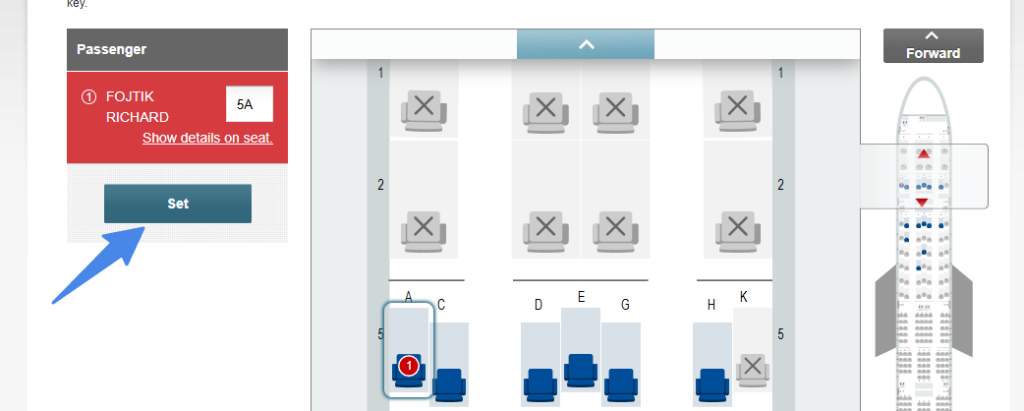
It will then bring up the cabin for class of service you are booked in. Simply choose the seat you want. Then click on “Set”. If you have multiple legs as part of your booking it will then take you to your next flight. You will repeat this for each flight you have.
Japan Airlines Partner Booking Seat Selection: ToP Thoughts
When you finally make that great Japan Airlines partner booking, do not let the next step stress you out. Do your research and select your seat right after booking. It can feel like a lot of steps, but it is quick and easy with our Japan Airlines seat selection with partner booking step by step guide.