
Amex Platinum Digital Entertainment Credit
Streaming services keep getting more expensive. But if you have The Platinum Card® from American Express, one of its credits can help offset the cost. The Amex Platinum digital entertainment credit offers up to $25 back each month on eligible streaming, news and digital subscriptions. That adds up to $300 in potential value each year. And unlike some of the card’s more complex benefits, this one is relatively easy to use.

What is the Amex Platinum Digital Entertainment Credit?
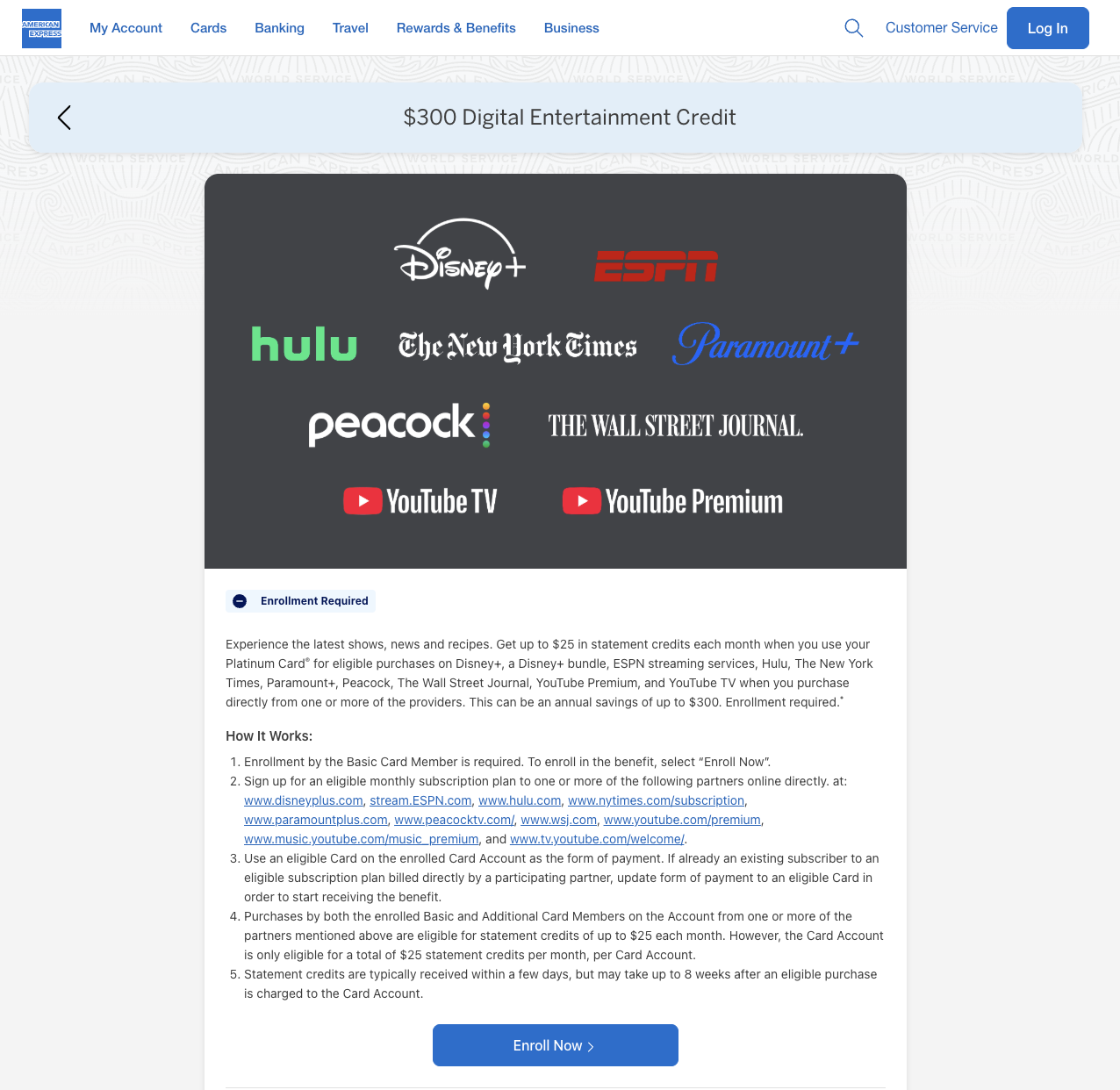
The Amex Platinum digital entertainment credit offers up to $25 in statement credits each month when you use the card for eligible purchases from participating entertainment providers. If you use the full credit every month, that adds up to $300 per calendar year. Enrollment is required, and your subscriptions generally need to be billed directly by the provider. Note that a subscription will not be reimbursed if it’s purchased through Apple, Google Play, Roku, Amazon or your cable company. American Express can change the list of participating providers, so check the official Amex digital entertainment credit page before signing up for a new subscription. The current eligible providers are:
- Disney+
- Disney+ bundles
- ESPN streaming services
- Hulu
- Paramount+
- Peacock
- The New York Times
- The Wall Street Journal
- YouTube Premium
- YouTube TV

How the Digital Entertainment Credit Works
Unlike an annual credit that you can use all at once, the Amex Platinum digital entertainment credit is broken into monthly increments. You get up to $25 per calendar month, whether you spend that with one provider or split it among several. For example, you could use part of the credit for a Disney+ and Hulu bundle and the rest for Paramount+, Peacock or a news subscription. As long as the combined eligible charges are at least $25, you should receive the full monthly credit. What you cannot do is roll an unused credit into the next month. If you only use $15 in January, the remaining $10 disappears. You will still have a new $25 credit available in February. The $25 limit also applies across the entire card account. Charges made by the primary cardholder and additional card members all count toward the same monthly credit. The credit is issued in the form of a statement credit.
How to Enroll in the Digital Entertainment Credit
You must enroll in the Amex Platinum digital entertainment credit before making an eligible purchase. If you already have one of the qualifying subscriptions, do not assume the credit will automatically start appearing just because you changed the payment method. You only need to enroll once. After that, eligible charges should automatically trigger a statement credit. Amex says credits can take several weeks to post, although they often show up within a few days. Here’s how to enroll:
- Sign in to your American Express account.
- Select your consumer Platinum Card.
- Go to “Rewards & Benefits.”
- Find the “$300 Digital Entertainment Credit.”
- Select “Enroll.” Accept the terms.
- Wait up to 24 hours for the enrollment to process.
- Pay the participating provider directly with your Platinum Card.
What You Can Get With the Digital Entertainment Credit
There is no single best use of the Amex Platinum digital entertainment credit. The best option is whatever you already use and would otherwise pay for with cash. Still, some subscriptions make it easier than others to use most—or all—of the monthly credit.
Disney+, Hulu and ESPN
Disney offers several bundles that combine Disney+, Hulu and ESPN streaming services. These can be a good use of the credit because you get access to multiple platforms through one monthly charge. Current options include a Disney+ and Hulu bundle with ads for $12.99 per month and an ad-free bundle for $19.99 per month. There are also bundles that include ESPN, although some cost more than the $25 monthly credit. Check the current Disney+ plans, since pricing and bundle options change regularly. If you choose a bundle that costs less than $25, you can use the remaining credit toward another eligible service.
Paramount+
Paramount+ currently starts at $8.99 per month, while its Premium plan costs $13.99 per month and includes SHOWTIME with most ads removed. Before using your entertainment credit for Paramount+, remember that the Amex Platinum also offers a monthly Walmart+ credit with enrollment. Walmart+ includes Paramount+ Essential at no additional cost after you activate it. If you already use the Walmart+ benefit, there is no reason to pay separately for the same Paramount+ plan. You may be better off using the entertainment credit for another provider.
Peacock
Peacock offers several monthly plans, ranging from $8.99 to $19.99. The Premium Plus plan removes most ads and allows you to download content for offline viewing, which can be helpful when traveling. Even Peacock’s highest monthly tier falls below the $25 limit, so you could pair it with another eligible news, cooking or games subscription to use more of the credit.
The New York Times
Eligible subscriptions purchased directly through The New York Times can qualify for the credit. Depending on the plan, this may include digital news, Cooking and Games subscriptions. The New York Times regularly offers introductory pricing, which can make it easy to combine a discounted subscription with a streaming service while staying close to the $25 monthly limit. Purchases from the New York Times Store, gift cards, and advertising services do not qualify.
The Wall Street Journal
Eligible Wall Street Journal subscriptions can also trigger the credit when purchased directly from the provider. Like The New York Times, the Wall Street Journal frequently offers promotional rates, so it is worth checking for a deal before subscribing.
YouTube Premium
YouTube Premium removes ads from YouTube, includes YouTube Music Premium, and allows background playback and downloads. The individual plan currently costs $15.99 per month, so the Amex credit can cover the entire charge. The family plan costs $26.99 per month, meaning you would only pay a small amount out of pocket after the credit. Make sure you subscribe directly through YouTube. If your subscription is billed through Apple, it may not qualify—and may cost more.
YouTube TV
YouTube TV is also eligible, but its monthly cost is much higher than $25. The credit will reduce your bill rather than cover the entire subscription. This can still be a good use of the benefit if you already pay for YouTube TV. However, I would not sign up for an expensive live TV subscription just to use a $25 credit.

Tips for Maximizing the Digital Entertainment Credit
Here is some other things to consider when using the Amex Platinum digital entertainment credit.
Start with subscriptions you already use
A credit only saves you money if it replaces something you would have paid for anyway. Before adding a new subscription to use the Amex Platinum digital entertainment credit, look at what you already use and see whether you can move the billing to your Platinum Card. Cross-reference our guide to free TV perks from other credit cards.
Check who is billing you
Your subscription generally needs to be billed directly by the eligible provider. Charges processed through Apple, Google Play, Roku, Amazon, a cable company or another third party may not trigger the credit. You may need to cancel your current subscription and sign up again directly through the provider’s website.
Combine subscriptions
You do not need to spend the entire $25 with one provider. Combining two or three less-expensive subscriptions can help you use more of the credit without going far over the monthly limit.
Look for promotional pricing
Many of the eligible providers run introductory specials. Pairing a discounted subscription with another service can stretch the credit further. Just remember to check when the promotional rate ends so you are not surprised by a higher charge later.
Switch services throughout the year
You are not locked into the same subscriptions all year. You could use ESPN during football season, Peacock while watching a specific show and YouTube Premium or a newspaper subscription during another part of the year. Rotating services is often better than paying for several subscriptions you are not actively using.
Set a reminder
The credit resets each calendar month, and unused value does not roll over. Setting a reminder to check your charges and statement credits can help you catch billing issues before too much time passes.
Remember to pay monthly (most of the time)
Paying monthly is usually the best way to maximize this particular credit. Even if an annual subscription is cheaper, the Amex credit is still limited to $25 in the month the charge posts. If you pay $120 for an annual subscription, you may only receive a $25 statement credit. You cannot apply the next several months of credits to the rest of that purchase. An annual plan might still be the better deal in some cases, but do the math before switching away from monthly billing.
Be careful about what does not qualify
Some common purchases that may not trigger the credit include:
- Subscriptions billed through Apple or Google Play
- Subscriptions purchased through Amazon or Roku
- Services bundled with a cable or internet package
- Gift cards
- Purchases from the New York Times Store
- Charges from providers that are not on Amex’s eligible list
- Purchases made before enrolling in the benefit
If you made an eligible purchase and the credit does not appear, double-check that you enrolled before the charge and that the provider billed you directly. If everything looks correct, contact Amex through chat or the number on the back of your card.

Amex Platinum Digital Entertainment Credit: ToP Thoughts
The Amex Platinum digital entertainment credit is one of the card’s easier benefits to use, especially now that there are more eligible providers. Enroll first, make sure your subscriptions are billed directly and focus on services you already use. If the credit replaces $25 you were already spending each month, it can take a real $300 bite out of the card’s annual fee. But if you would not otherwise pay for these services, the credit is not really saving you $300. Signing up for subscriptions you do not want just to use a credit is still spending money you did not need to spend. Not sure you are maximizing all your credits from this card? We have this handy tracker to help you keep track of all the credits. Do you use the Amex Platinum digital entertainment credit? Let us know how you are using it over in the ToP Facebook Group.