Hyatt Spending Trackers
Sometime very recently, although we’re not sure exactly when, Chase made a quiet improvement to its mobile app and website. And it’s one that anyone with a personal Chase World of Hyatt Credit Card should be excited about. Drumroll, please … There is now a Hyatt spending tracker for elite nights and Free Night awards! Note that at least for now, this is only available on the personal card and not the business card. Let’s discuss what this means and where you can find it on the Chase website or in the app.
Spending for Tier-Qualifying Nights and a Free Night
The Chase World of Hyatt card has two stand-out perks. The first is that you have the ability to earn 2 Tier-Qualifying Nights for every $5,000 you spend on the card. Tier-Qualifying Nights are the metric that count towards earning Hyatt status. For those of us who value Globalist (hi, it’s me!) or are pursuing earning Globalist (hi, Rick!), these Tier-Qualifying Nights earned on the card can play a valuable role in our earning strategy.
You need to earn 60 Tier-Qualifying Nights in one calendar year to earn Hyatt Globalist the traditional way. Occasionally, there are challenges or other promotional opportunities.
The other stand-out perk of the card is the ability to earn an additional Free Night Award through spend. You earn a Category 1-4 Free Night Award when you spend $15,000 on the card in a calendar year. This benefit stacks with the Elite Night earnings, meaning if you spend $15,000 on the card in a year you get both 6 Elite Night Credits (2 per $5,000 spent) plus a Free Night Award.
How to Find the Hyatt Spending Tracker
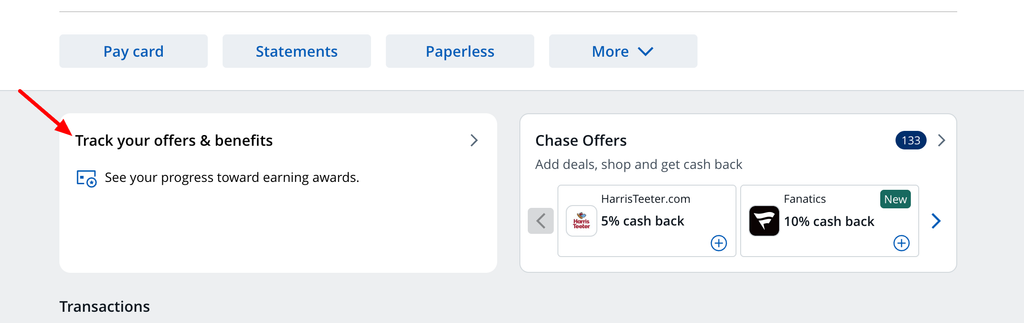
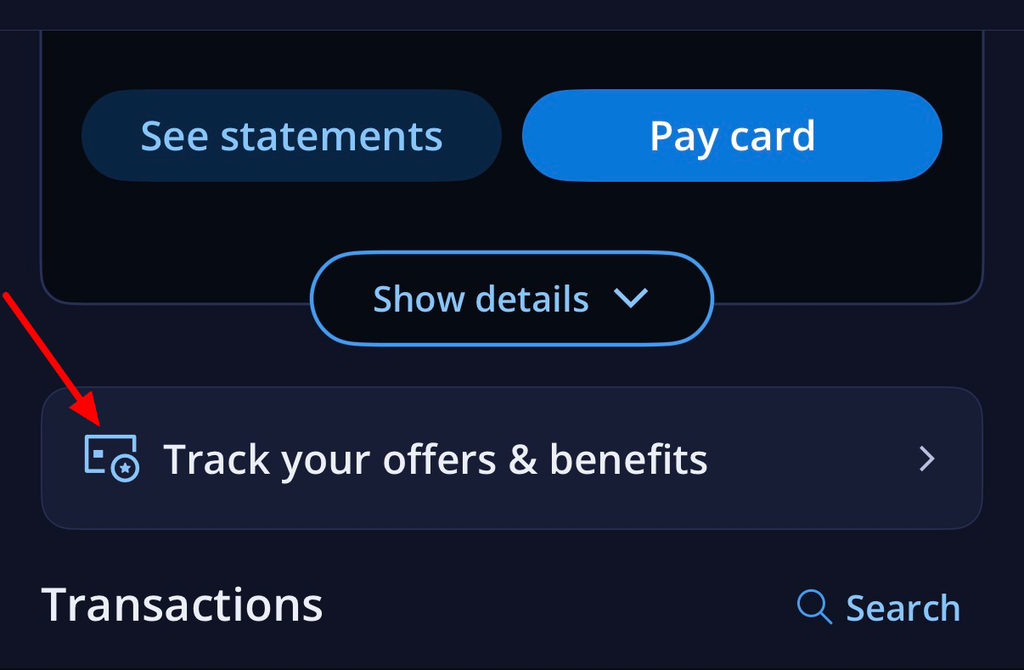
First, log into your Chase account on the website or in the app. Directly below the summary that details your current balance, payment due date, etc. there is a box that says “Track your offers & benefits”.
It looks like this on the website:
And like this on the app:
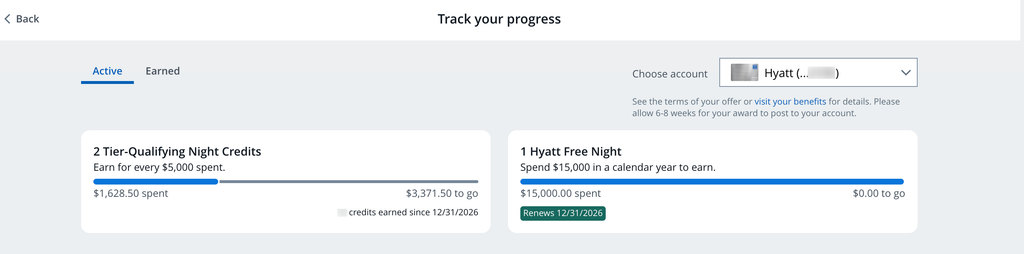
Click on that button and voilà! The tracker appears:
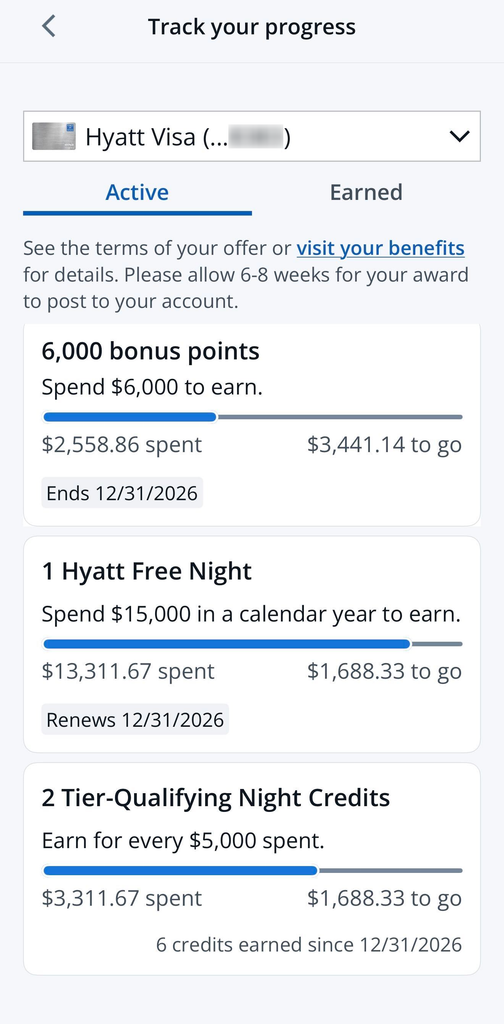
Another member of our team even has a Chase My Bonus spending offer on her Hyatt card. And she can see that on this tracker page as well:
If you don’t see the tracker right away when opening the app, you may need to update versions.
Reviewing the Tracker Details
As you can see from these screenshots, the Hyatt spending tracker information isn’t 100% accurate. The date at the bottom of the “2 Tier-Qualifying Night Credits” says “since 12/31/2026.” That’s a date in the future. But it does seem to accurately track the information that you want to know, including how many credits you’ve earned so far this year. And how far you have to go to earn your next set of 2 Tier-Qualifying Night Credits or Free Night.
Since this is a brand new feature we expect there will be some hiccups.
Hyatt Spending Trackers: ToP Thoughts
This is an overdue and much needed improvement to the Chase website. Our readers and Facebook group members often complain that they find this information hard to track. It is exciting to see a functional improvement to the website. We are also seeing spending trackers appear on other Chase co-branded cards such as the Bonvoy Boundless card and the Ritz Carlton card. We hope Chase continues to roll out these trackers to other co-branded cards and the business cards. As always, we recommend keeping good records for yourself as we have seen inaccuracies with bank-based trackers in the past. And sometimes there is a lag for charges to appear, etc. so you’ll want to double-check the math.