Chase Sapphire Credit Tracker
How do you measure a year? In Lyft, DoorDash and Apple credits, of course. At least that's how it feels lately, thanks to the increasing couponification of travel cards. These days, our wallets are giving us new to-do lists faster than you can say “You get a coupon. You get a coupon. Everyone gets a coupon,” Oprah-style. Because of all of these changes. a Chase Sapphire credit tracker tool has been a hot request from the ToP Facebook group members. Especially on the heels of this year's big refresh of the Chase Sapphire Reserve® and launch of the Chase Sapphire Reserve For Business℠ card.
Organization Made Easy
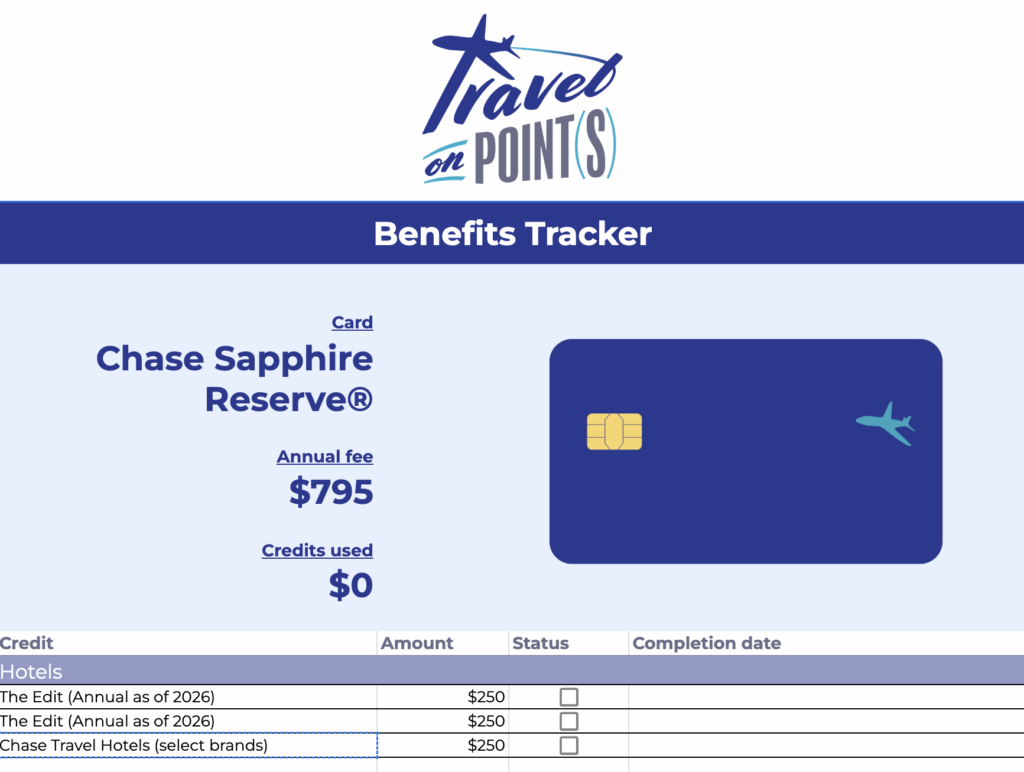
We've prepared Chase Sapphire credit tracker sheets for both of these premium cards. And we've made them fully customizable, with blank sheets to add more cards of your choosing. Because we know these aren't the only cards touting a whole coupon book's worth of credits. And yep, more cards in your wallet are likely to be couponized in the future, too.
Google Sheets Tracker
Here is how you get your hands on the Travel on Point(s) Chase Sapphire credit tracker if you use Google Sheets:
- Login to your Google account.
- Access our Tracker Sheet here.
- Make a copy. This will duplicate the spreadsheet so you can have your own private, fully customizable version.
- Check off credits as you use them. The tracker at the top will automatically reflect how much of the retail value you've used so far.
- Use the tabs at the bottom to switch between the business and consumer card trackers.
- Start tracking another card in our “Blank card” tab. Duplicate the tab as many times as you like.
- Optional: Track your lounge visits, elite status and other benefits at the bottom. Click Insert -> Rows to make more space on your sheet, and feel free to assign a value to these rewards however you see fit.
As always, if you have any issues with any of these steps you can come over to the ToP Facebook Group for some help.
Microsoft Excel Tracker
Here are the steps to get your Chase Sapphire credit tracker if you prefer to use Microsoft Excel.
- Download our Excel tracker here.
- Check off credits as you use them. The tracker at the top will automatically update to reflect how much of the retail value you've used so far.
- Optional: Track your lounge visits, elite status and other benefits at the bottom. Click Insert -> Rows to make more space on your sheet, and feel free to assign a value to these rewards however you see fit.
Apple Notes Checklists
If you would like to use Apple notes checklists for your Chase Sapphire credit tracker then there may be an option for that as well.
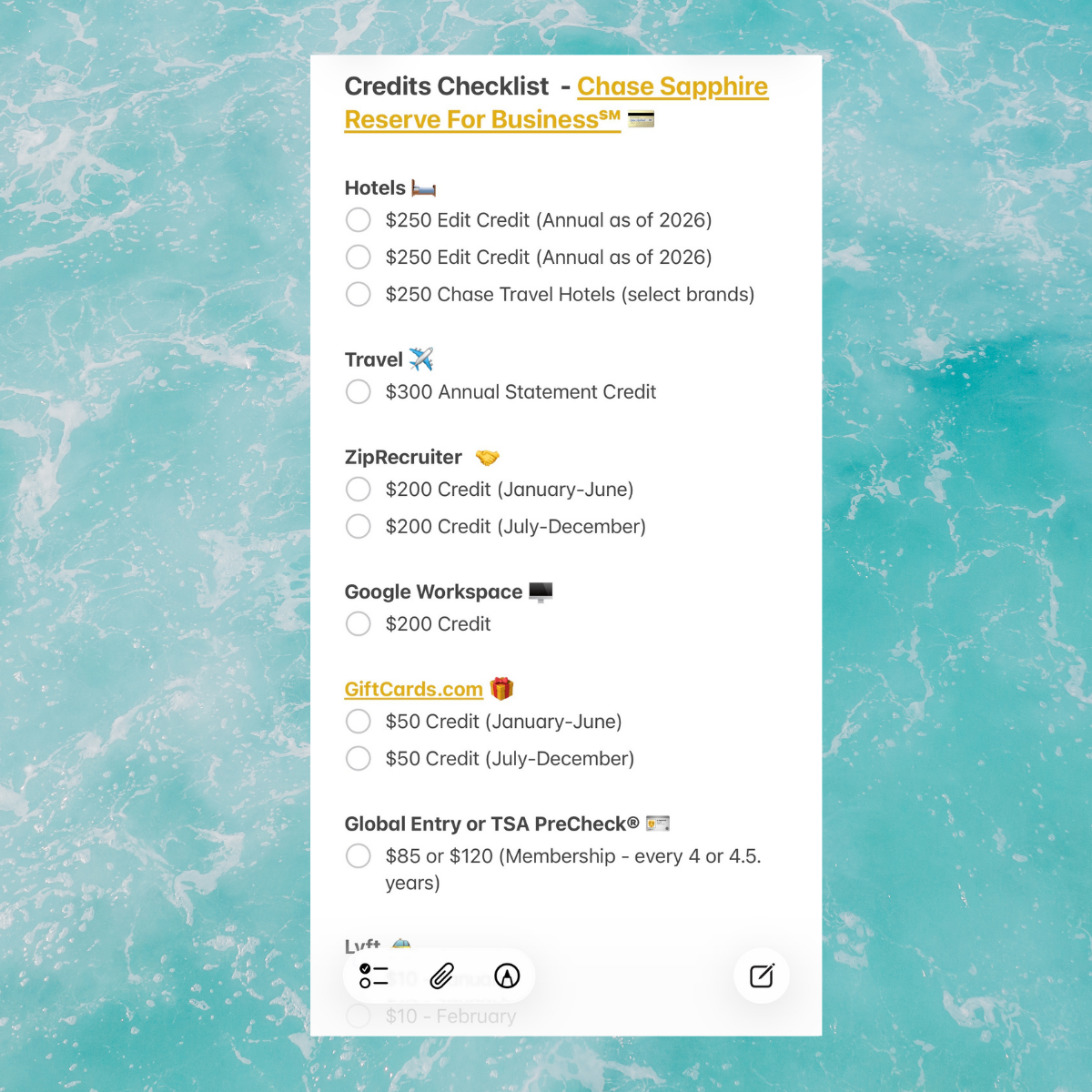
While Apple does not officially allow exporting of templates, here's a workaround:
- Download the Chase Sapphire Reserve® checklist here, the Chase Sapphire Reserve For Business℠ here and the Blank Card checklist here.
- If on desktop: Open the file in TextEdit, select all and copy the list. Open the Notes open, create a blank note and paste the list. Highlight each section and click the checkmark icon on the top menu to convert the bulleted formatting into a checklist instead.
- If on mobile: Save to Files. Open the document, select all and copy the list. Open the Notes app, create a blank note and paste the list. Highlight each section and click the checkmark icon on the bottom menu to convert the bulleted formatting into a checklist instead. Pro tip: If your mobile and desktop Apple devices are synced, creating the note on desktop first will retain more of the formatting (headings, italics, etc.) Otherwise, you can adjust them yourself on Notes.
- Check off credits as you use them.
- Optional: Track your lounge visits, elite status and other benefits and assign a value to them at the bottom.
Don't Forget To Pick Up Our Original Credit Card Tracker
If you would like to organize your list of overall credit cards we have you covered there too.

Organize your full card list:
- Access our Credit Card Tracker sheet here.
- Make a copy of the file. This will duplicate the spreadsheet so you can have your own private, fully customizable version.
- Add your current cards, and be sure to keep the sheet updated with new applications.
- Customize colors, columns and rows. Have fun!
Chase Credits Trackers: ToP Thoughts
A new card's annual fee is always worth it in the first year. But after you've hit the signup bonus, it's not a bad idea to track how well you are—or aren't—using the perks that are meant to justify those ever-increasing annual fees. Hopefully this Chase Sapphire credit tracker tool helps you do just that. Looking for our Amex credits tracker? Find it here.