
Navigating Points and Miles Technical Issues
One of the hottest topics in points and miles lately? The panic-inducing technical error. glitches, temporary outages and sites or tools that are not working correctly can make it challenging to redeem points and perks. Crowdsourcing may not help, either, because we are all on our own devices and computers. I thought it would be helpful to break down some of the most common occurrences and give some tips on navigating points and miles technical issues.

Award Booking Search Error
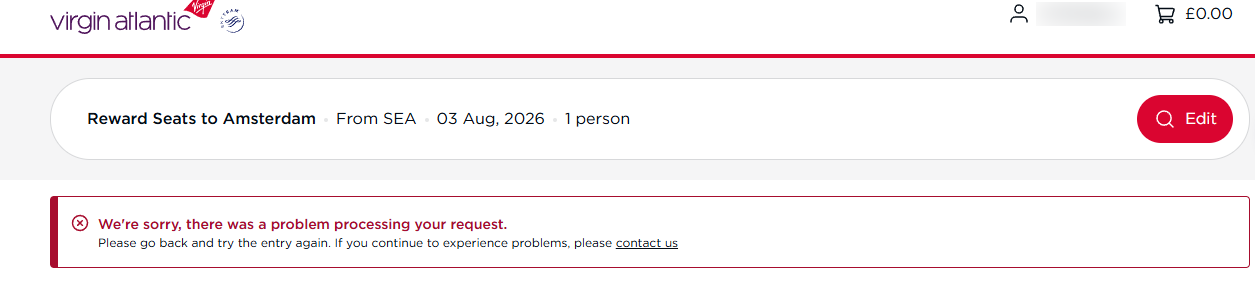
I'm looking at you, Virgin Atlantic! This one comes up almost daily in the ToP Facebook group. If you are looking for a route that is not Virgin Atlantic (VS) metal—meaning a partner flies it—and there is no availability, you might get an error. This happens at times with other airlines, but Virgin Atlantic is the most common. You usually need at least one flight that week to be available. Then it might show you no availability on your selected date, but it may show other options on a different day.
Delta is another one I see a lot of issues with—and I have personally experienced it, too. The airline's app is especially notorious for giving errors at night. The time of day can be a common denominator for a few of these issues. Meanwhile, American Airlines might error out when trying to book partner flights. That usually means it is phantom space. We have seen this frequently in 2026, especially on popular routes to Asia.
Award Booking Search Error Solutions
So, how do we go about navigating points and miles technical issues? Errors like the Virgin Atlantic and American Airlines ones just mean there is no partner space available. Errors like the Delta one may be resolved by trying the browser instead of the app—which will be a common solution and one of our main tips. If you think the space is there, though, and it's just a normal website glitch, you can always call the airline. Just remember not to simply Google an airline's phone number. Rather, contact them using the airlines' official phone numbers or by using an official online chat feature, if available.

Points Transfer Errors
Errors when trying to transfer points are also common. You may get a message that your transfer is delayed or hasn't gone through. No need to panic. This may be due to a newer account or fraud prevention. But most likely, things are just delayed. You cannot speed up the process, especially if the terms say it may take 7-10 days to make a transfer. Usually, it does not take that long—but delays can and will happen at times. We often see delays late at night or on a weekend. Businesses often do updates overnight or on weekends. If a system is down, the odds are that is impacting all users at once. There is no need to panic when navigating points and miles technical issues. There is also no exact time frame for when you can expect a system that is down to be functioning again. You may have to try back later or in the morning.

It Doesn't Work For Me! Errors With Other Tools
Hi, Paze! This one is a daily occurrence. Errors like the ones we've been seeing with Paze all summer have been well documented and covered. We've had hundreds of posts and questions weekly just on this ToPic, sometimes minutes apart. Sometimes it can work when you try a different browser, app or device. Other times, there could be a mismatch between account email addresses or something else. But just like targeted offers, when things are new, they may not always work as intended. You can always try reaching out to customer service, whether it's the bank or the provider. When navigating points and miles technical issues, we sometimes just have to wait and hope for the best.

Tips for Troubleshooting Common Issues
These are some frequent solutions and tips that may help when navigating points and miles technical issues. I would also be remiss if I didn't mention that if you are looking for a ToP article on something, searching the website is much more efficient than any Facebook search.
- Log out and back in. This works for a lot of point issues if your account isn't showing your points, or even when you can't book something.
- Open an incognito or private browser.
- Clear your history and cookies.
- Close out of everything, and then reopen.
- Look for data points. I often search online threads with key words or an error code.

Navigating Points and Miles Technical Issues: ToP Thoughts
Navigating points and miles technical issues can be frustrating. Errors and glitches happen, and we may all experience different issues on our own devices. The ToP geek squad may not always be able to troubleshoot based on a particular error, issue or screenshot. Hopefully, some of these tips help you to resolve or understand some of the most common ones we see. Have you had any of these issues? What has worked for you? Come over to our Facebook Group and discuss.