
New Qatar Airways Award Booking Restrictions
Qatar Privilege Club has quietly rolled out significant changes to who you can book award tickets for using Avios. The new Qatar Airways award booking restrictions were pointed out in a post by a ToP Facebook group member Shelly F. and confirmed by new terms on the Qatar Airways website. Previously, members could search and book award flights for virtually anyone without restrictions. Now, if you want to redeem Qatar Avios for someone else, they’ll need to be added to one of your account’s family and friends lists—and your account will also have to meet some limiting qualifications. Let’s take a look at what changed, what it means for award travelers and a possible solution. UPDATE 9/14/26: Qatar has updated these restrictions. Details below.

9/14 Update: Have the Worst Restrictions Been Reversed?
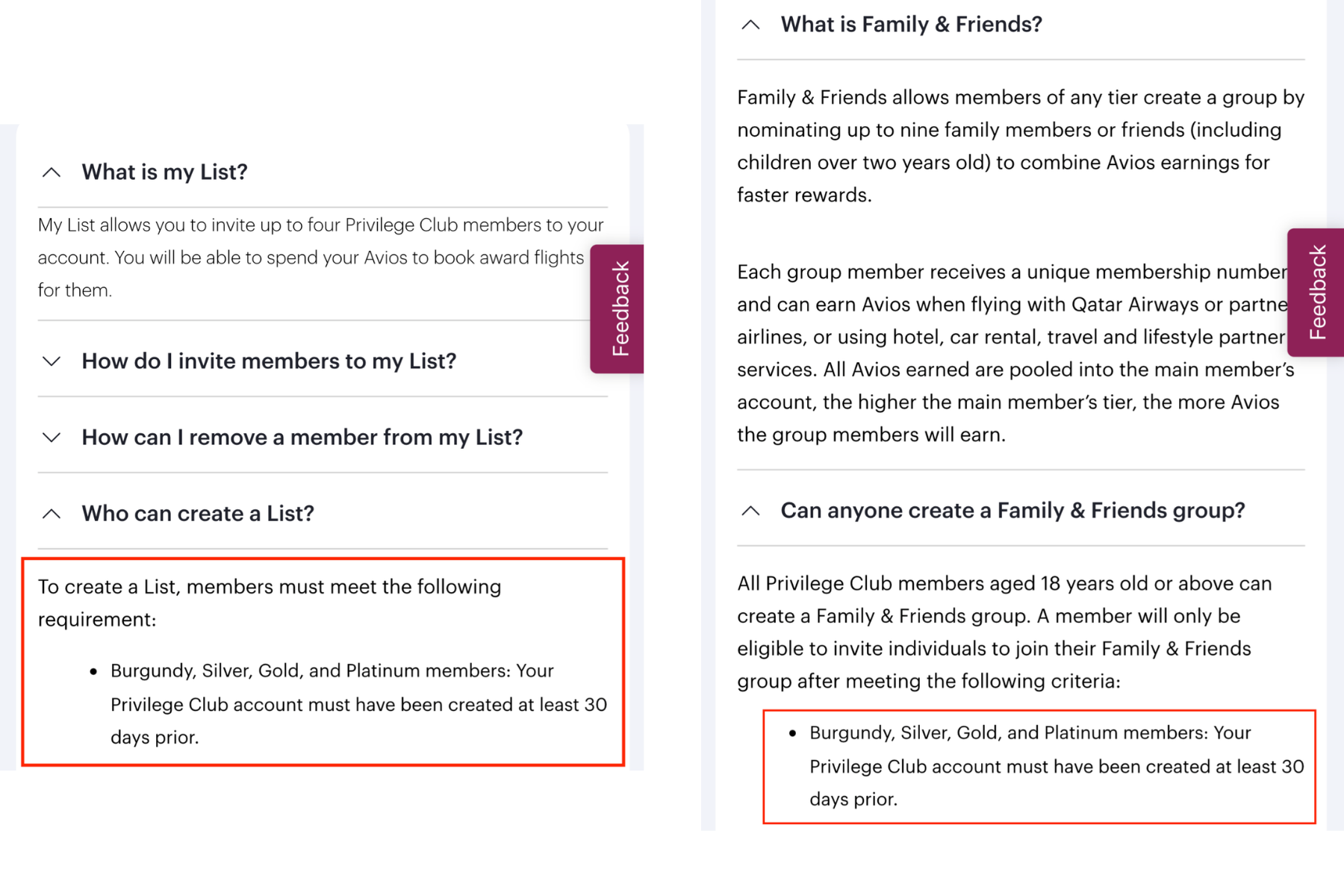
After a long, confusing and frustrating summer, Qatar has once again updated its policy. As of 9/14/26, its FAQ page simply says that Privilege Club accounts must have been created at least 30 days prior in order to invite individuals to their Family & Friends and My List groups. This applies across all Qatar elite status levels, including Burgundy, Silver, Gold and Platinum members. Note that you will still have to set up these groups in order to book award tickets for others using Avios, but you no longer need to have completed qualifying activities before doing so. (Earlier restrictions said you needed to have flown a flight credited to Qatar Airways Privilege Club or have an eligible Qatar co-branded credit card earning transaction.) As always, we don’t know how permanent this update will be. So it’s not a bad idea to go ahead and create Family & Friends and My List groups and invite those who you might want to book for in the future. And in the meantime? Let’s all breathe a collective sigh of relief.
7/21 Update: Modified Terms for Elites + Searching Capabilities
Select Elite Members Can Now Book for Others
As of 7/21/26, Qatar has somewhat loosened its new booking restrictions, but only for select members. The updated My List terms now say:
- Gold and Platinum Members may book award tickets for members added to their My List, and also have the flexibility to book award tickets for any additional individual of their choice through our Contact Centre or Member Service Centre.
Privilege Club has four status tiers, so unfortunately this still locks out those at the Burgundy and Silver levels.
Is Searching for Group Travel Back?
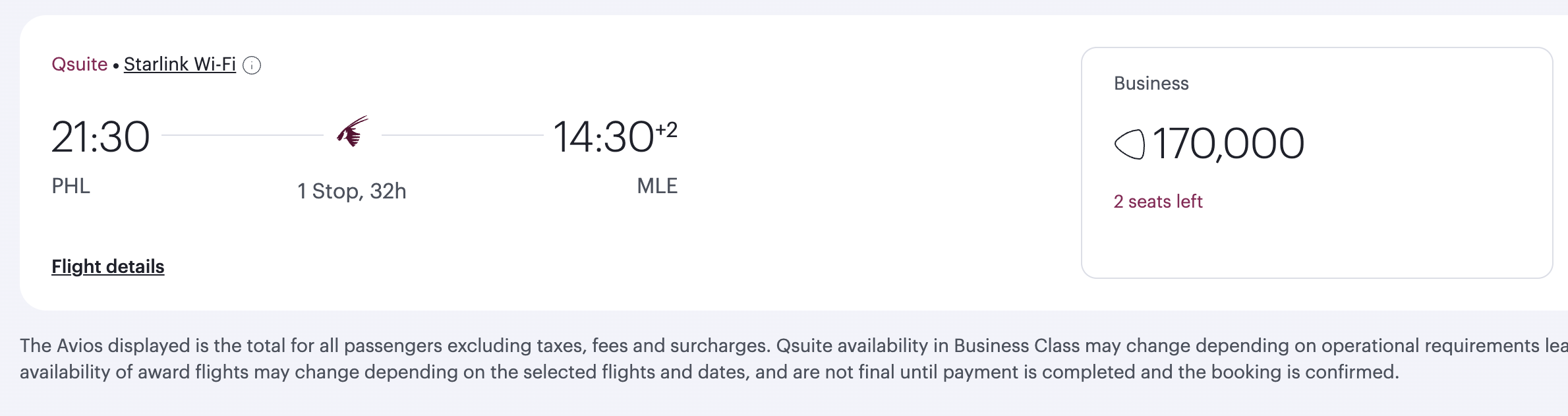
Last week, we’d noticed that Qatar had appeared to walk back its initial search restrictions. The desktop website was allowing ToP team members to search award availability for up to nine adult and child passengers combined, as well as infants. App searches were not working for our team. But as of 7/21, this ability might be fading, with one possible workaround we’ll explain below. Some of our team members are able to search for more than one passenger without meeting the new requirements or having “Family & Friends” + “My List” groups setup. But, an error message appears warning us to add members to our “Family & Friends” + “My List” groups. Some of us were able to see the searches by clicking “Modify search.” But this may only be a temporary workaround for now. Let us know what you are seeing with your searches in the ToP Facebook Group.
How Did Qatar Airways Award Bookings Change This Summer?
- “Family & Friends”
- “My List”
How The “Family & Friends” + “My List” Options Differ
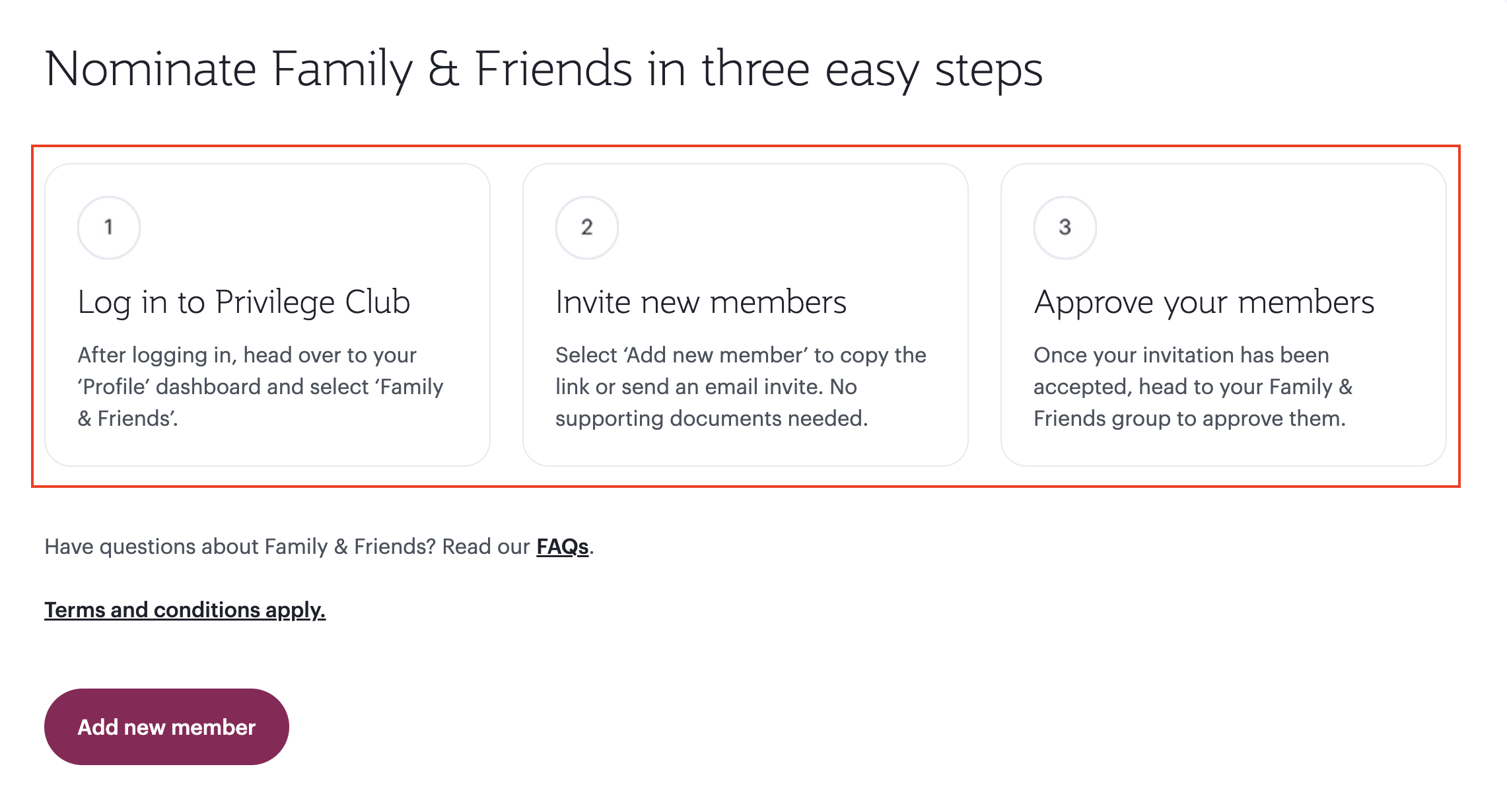
Let’s take a look at the new Qatar Airways award booking restrictions’ two separate systems that must be used for bookings:
Option 1: Family & Friends
- “Family & Friends allows members of any tier create a group by nominating up to six family members or friends (including children over two years old) to combine Avios earnings for faster rewards.”
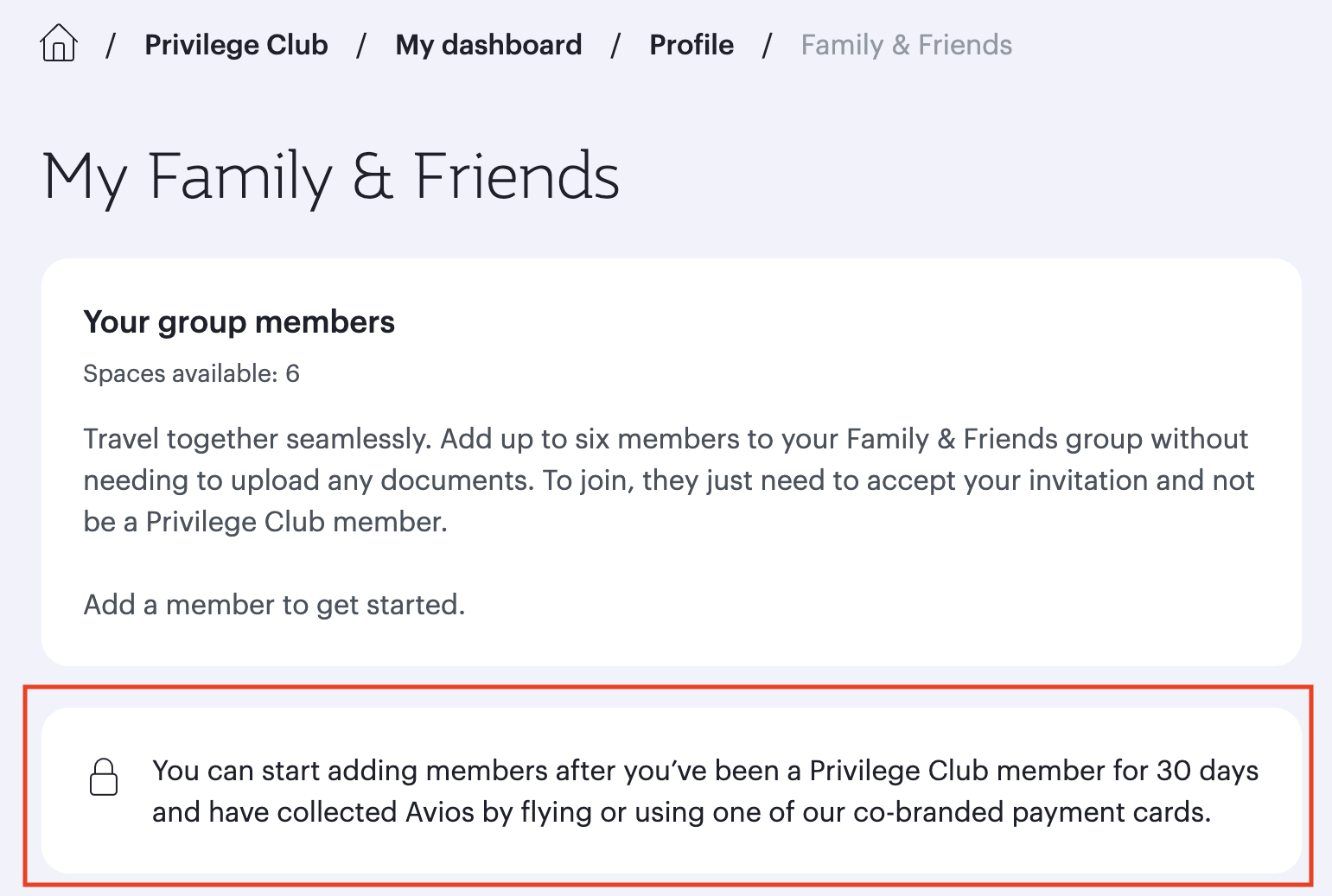
Requirements to Create a “Family & Friends” Group:
- Be at least 18 years old
- Have had a Privilege Club account open for at least 30 days
Complete one qualifying activity: A Qatar Airways or partner airline accrual or an eligible co-branded credit card earning transaction
The Most Important Family & Friends Group Limitation
Option 2: “My List”
- “My List allows you to invite up to four Privilege Club members to your account. You will be able to spend your Avios to book award flights for them.”
Requirements To Create A “My List” Group:
To create “My List,” members must satisfy the following requirements, which mirror those of Family & Friends.:
- Be at least 18 years old
- Have a Privilege Club account that is at least 30 days old
Complete one qualifying activity: A Qatar Airways or partner airline accrual or an eligible co-branded credit card earning transaction
Additional “My List” Restrictions
There are several limitations worth noting:
- You can only add up to four members.
- Members must already have a Privilege Club account.
- A member cannot belong to multiple Lists simultaneously.
- Once added, a member must remain on your List for a minimum of six months.
- Members under age 18 cannot be added to My List and must instead be placed in a Family & Friends group.

How To Navigate These Changes
- Consider setting up “My List” as soon as possible if you meet the eligibility requirements.
- Create Privilege Club accounts for family members you regularly book for.
- Remember that members added to “My List” are locked in for six months.
- If booking for children, “Family & Friends” will likely be the required path.
- Keep in mind the 30-day account age requirement before future redemptions.
A Possible Solution For Those Who Don’t Yet Meet Booking Qualifications
A short Qatar or partner airline flight credit could potentially satisfy the activity requirement. Your account will still have to be 30 days old, but flying a revenue ticket on a partner like American Airlines or Alaska Airlines and crediting it to Qatar should be able to meet the other requirements. UPDATE 9/14/26: This is hopefully no longer required.