
Marriott Flexible Calendar Search
To figure out when you can use one of your Marriott points or free night certificates, start with the Marriott flexible calendar search feature. It’s a great way to see overall award availability for a hotel, which can be especially helpful if you have a flexible schedule. This is my go-to tool for determining when prices best fit my budget for points or certificates. I’ll admit the Marriott site drives me nuts at times, but I do enjoy this feature. And when I use it, I rarely have an issue. We built a guide on how to find and use the Marriott flexible calendar search feature.
Photo courtesy Marriott
Using The Marriott Flexible Calendar Search: Step-By-Step Instructions
The Marriott flexible calendar search feature makes using points and maximizing free night certificates at certain properties much easier. If you have a slightly flexible travel schedule, then you should be able to have success here. Begin by opening the Marriott app or browser. (Either one is fine.) While you can start your search without logging in, I recommend logging in—especially if you might book.

Step 1: Search For A Hotel Or Destination
First, enter a specific hotel or your desired city. In my example, I simply plugged in Puerto Vallarta to load the more broad Marriott flexible calendar search. This will also allow you to see other properties in case your favorite property is not available or too expensive.
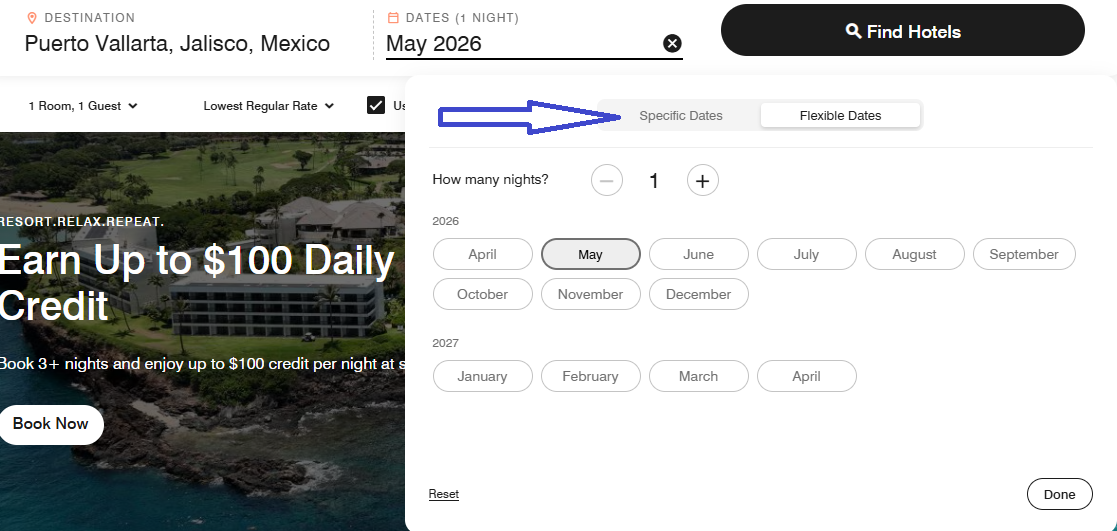
Step 2: Select That Your Dates Are Flexible
When you click on the dates, there is generally an option to select specific dates or flexible dates. It will then default to the month you chose. But once the calendar pops up, you can scroll through different months as well. I always choose the one-night option. Why? Choosing more than one night will show the total for two-day rates instead of each individual night. Paring down to one-night pricing is an important indicator for certificate use. This method makes using the Marriott flexible calendar search a little simpler.

Step 3: Select Your Hotel
Inputting just the location on the Marriott flexible calendar search will show you an array of properties. In this example, there were nine hotels to choose from. I quickly scrolled to my favorite. Next, click on “View Rates.”
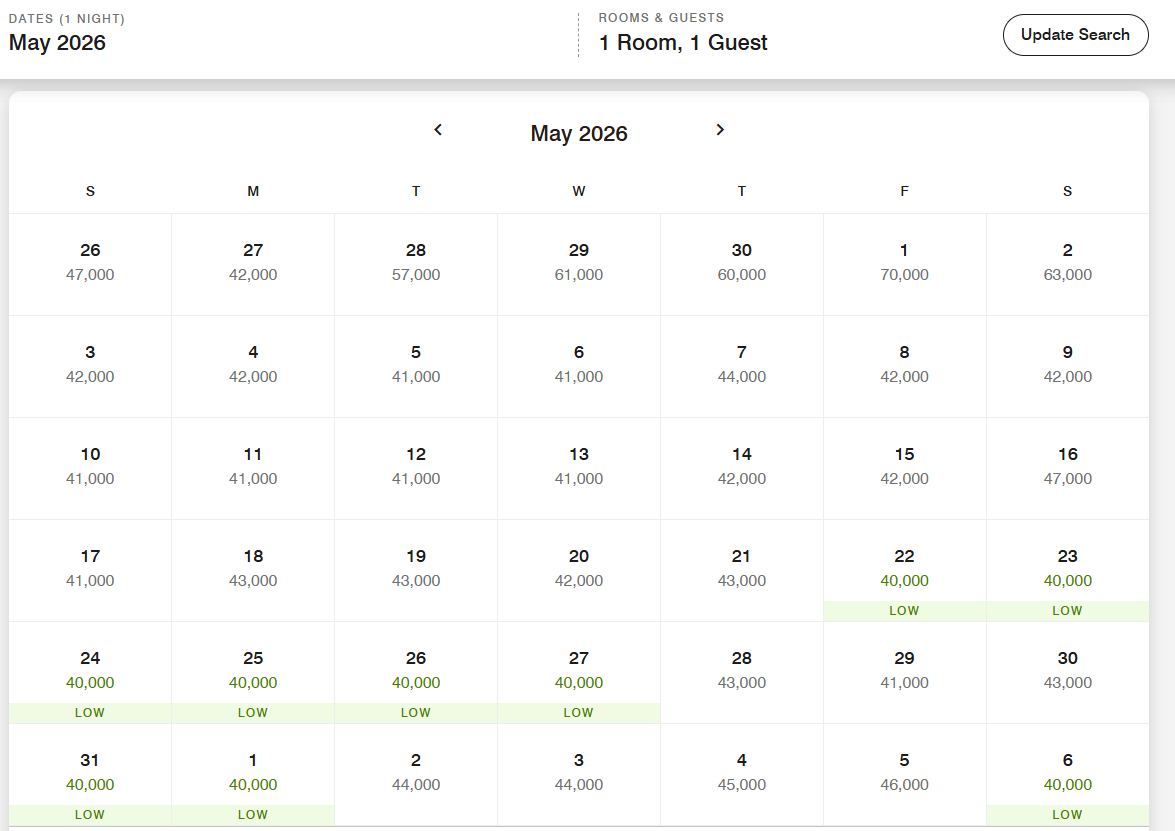
Step 4: Compare Dates On The Calendar
Once you click “View rates,” the calendar will pop up. It will display rates for each night. This will help you see which times may work best for pricing. Once you have an idea of the nightly prices, you can then adjust your search to the total number of nights you want to verify the pricing. This will now show you the total for those nights. Simply click on your first night to start the booking.
ToP Tip: Double-check pricing for your full trip. Although I have not seen Marriott issues as bad as Hilton, always compare. For example: If you look at individual nights on the Marriott flexible calendar search and see that they are 40K each, the three-night total should be 120K.
Marriott Flexible Calendar Search: ToP Thoughts
Using hotel flexible calendars can be a great at-a-glance way to compare pricing across a variety of dates. This can help you monitor prices or just save you points on a stay, if you’re flexible. Do you use flexible calendars for your searches? Any experience to share on the Marriott flexible calendar search feature? Tell us your thoughts over in the ToP Facebook Group.