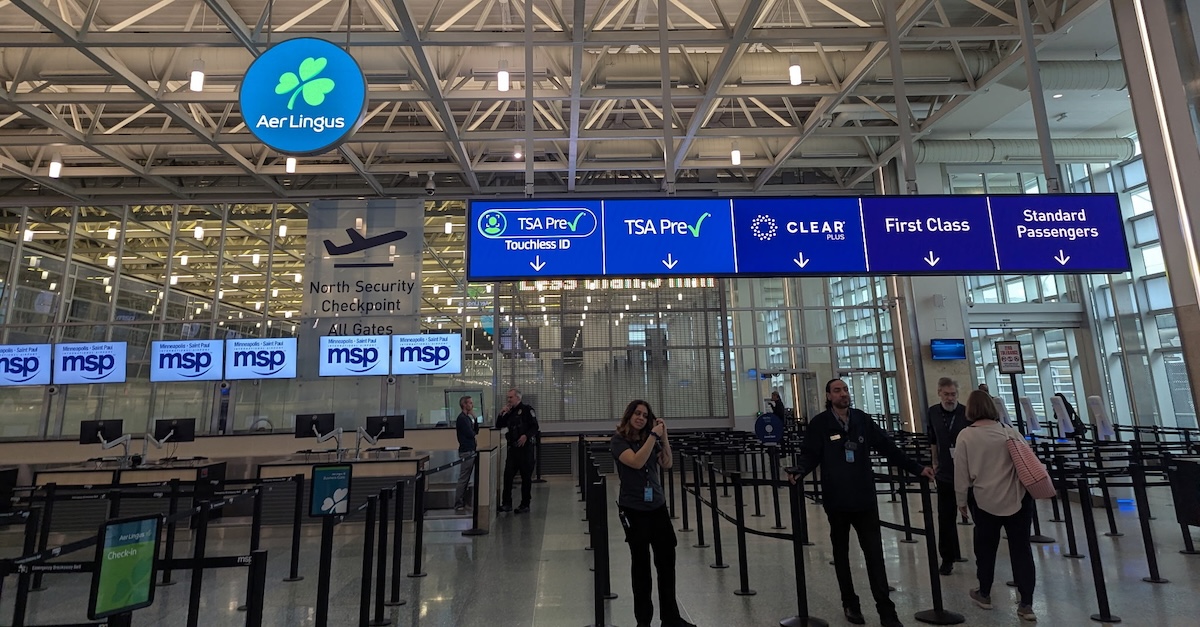
TSA PreCheck Touchless ID
Trusted traveler programs like TSA PreCheck can be massive time savers at the airport, getting you through security faster and helping you avoid the long lines that have been plagued U.S. airports this year. But TSA has been steadily expanding a way to expedite the security process even further: TSA PreCheck Touchless ID. Touchless ID allows eligible TSA PreCheck travelers to pass through a separate security lane that uses facial recognition to verify your identity rather than a physical ID.
If you don't have TSA PreCheck yet, there are many credit cards with TSA PreCheck (and Global Entry) credits to cover the membership cost for these programs. But there are a few additional steps you have to take after joining to opt in to Touchless ID. Read on for everything you need to know about what Touchless ID is and how it works.
UPDATE 6/29/26: Another way to opt-in to Touchless ID has begun rolling out via Google Wallet.
Which Airlines Participate In Touchless ID?
Whether or not you'll be able to use Touchless ID depends on the airline you're flying. Not every airline that participates in PreCheck also participates in PreCheck Touchless ID. In fact, the list is quite short.
The following airlines currently participate in Touchless ID:
- Alaska Airlines
- American Airlines
- Delta Air Lines
- Hawaiian Airlines
- Southwest Airlines
- United Airlines
A new integration with Google Wallet, detailed below, should expand the number of airlines that Touchless ID can be used with. Currently, there are 65 airports where you can use PreCheck Touchless ID, though. That's fraction of the more than 250 airports where PreCheck is available.
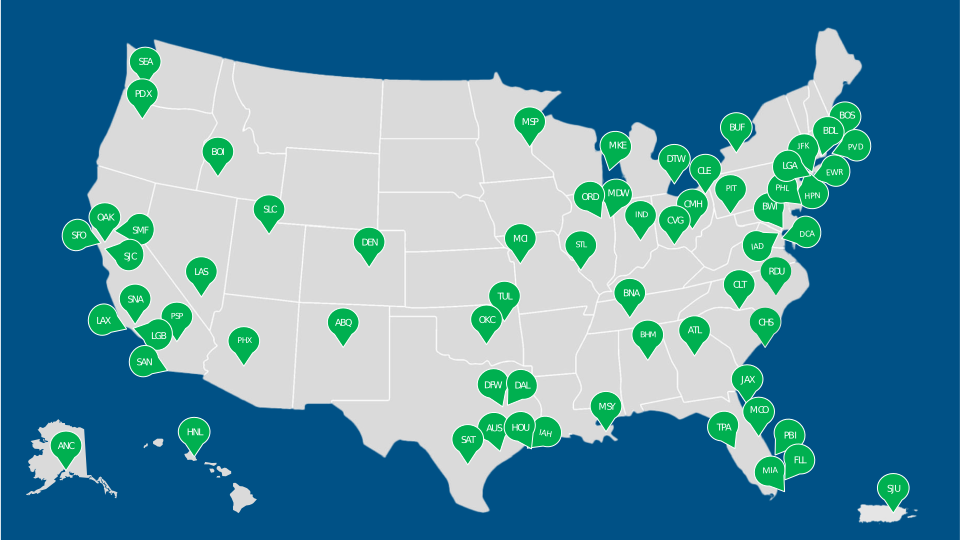
How To Opt In To Touchless ID
There are two different ways to opt in to Touchless ID, including a new option for Google Wallet app users.
Opt In With Your Airline
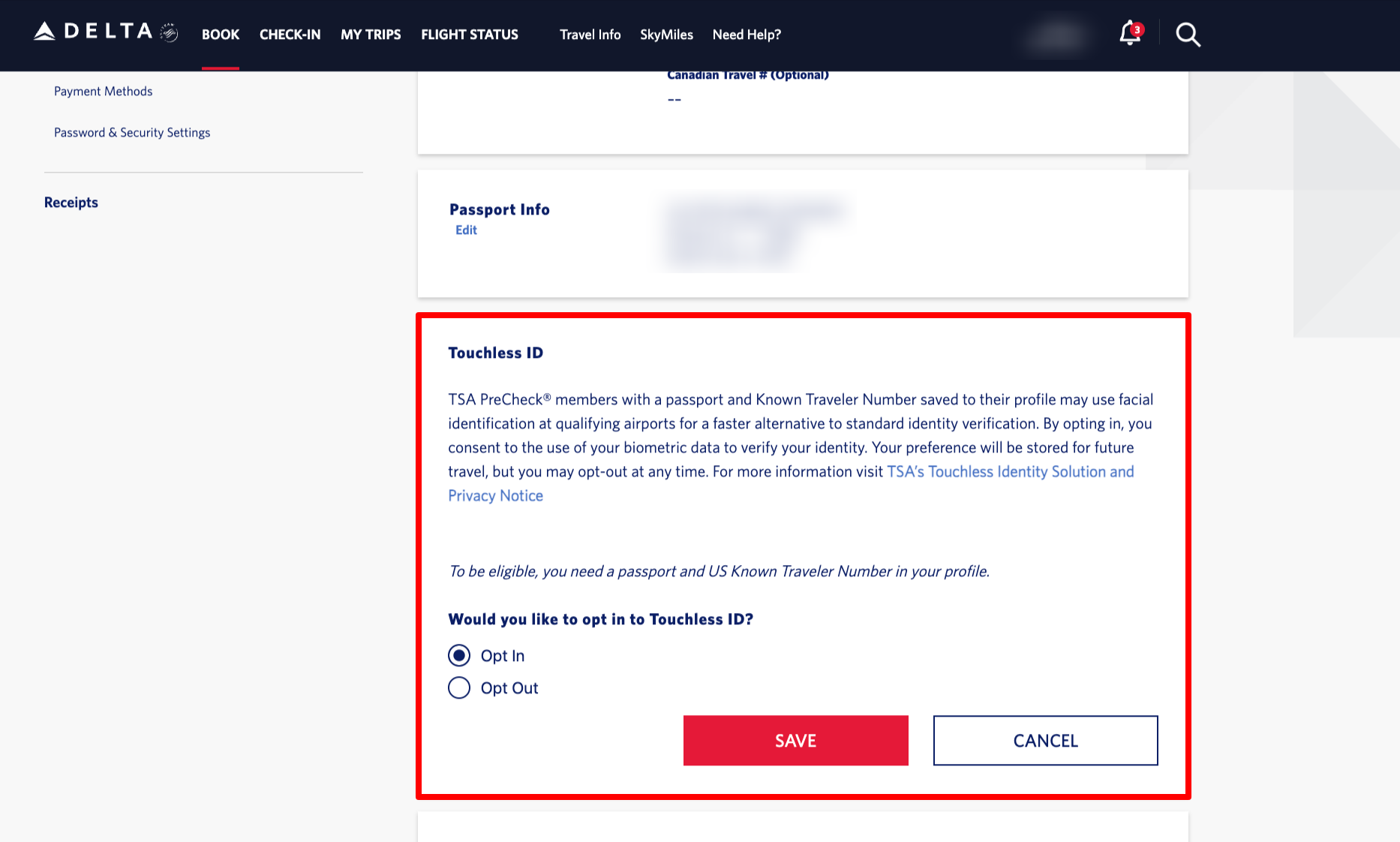
To use PreCheck Touchless ID, you'll need to opt in with participating airline. In most cases, you'll need to make sure your airline account is updated with your Known Traveler Number (KTN) and valid passport number and country. You should then have the option to opt in to Touchless ID. You may also be prompted to do so when checking in for your flight. Here's what this looks like with a Delta SkyMiles account.
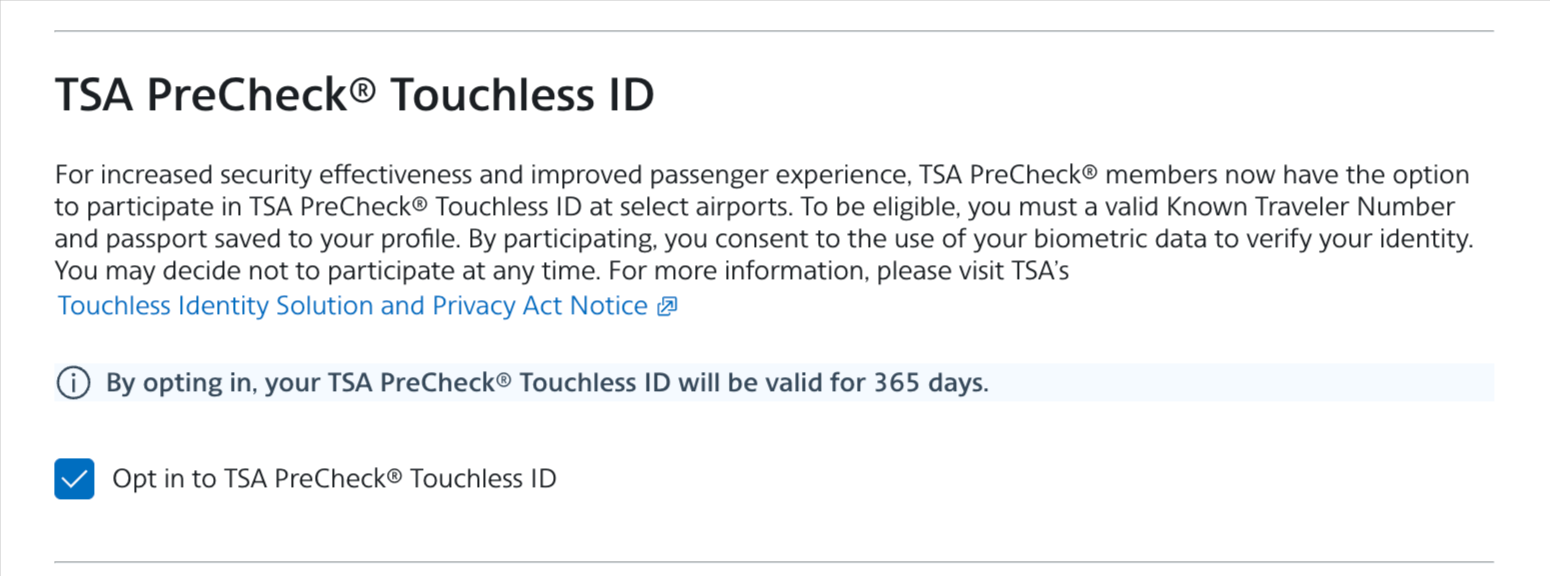
And here's what that looks like on American's website. You'll see the option to opt in to Touchless ID under “Information / Password” in your AAdvantage account settings.
Opt In With Google Wallet
In a new partnership that began rolling out last week, you will also be able to opt into Touchless ID via Google Wallet. This functionality is designed to make the opt-in process more seamless, while also expanding the reach of the program. It will work with “any of the more than 100 TSA PreCheck airlines at participating airports,” according to the press release—as opposed to the airline opt-in route, which is only available for the six participating airlines listed above.
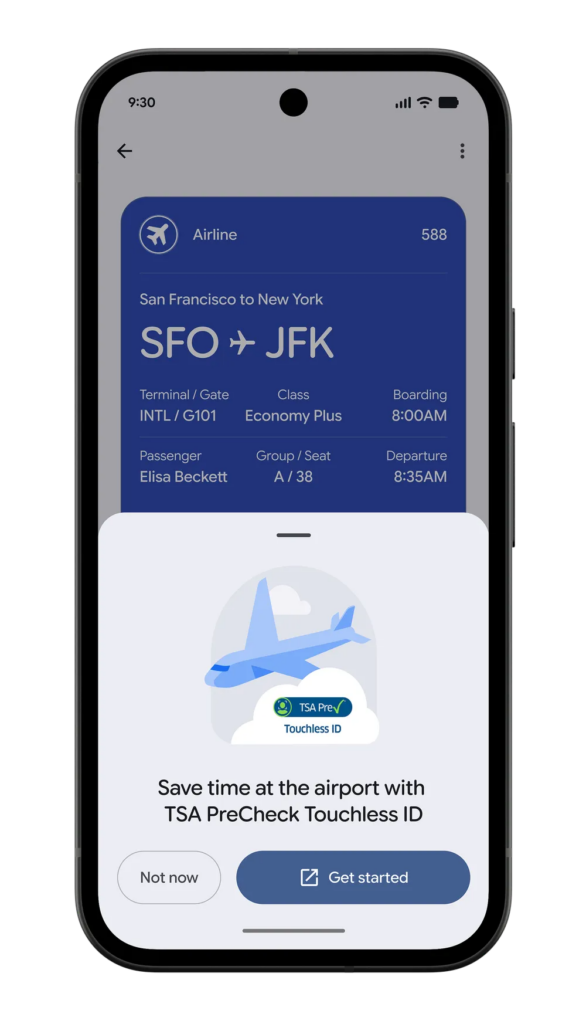
Here's how Google Wallet setup will work:
- Create an ID pass by entering your passport information in the Google Wallet app.
- Note that you currently need to have an eligible Android phone with the Google Wallet app installed to be able to create an ID pass.
- However, Google's site says the integration will be “rolling out over the coming weeks,” so it's possible we'll see the integration become more broadly available later.
- Check in for your flight.
- Add your digital boarding pass to your Google Wallet.
- Eligible travelers with an eligible digital ID pass should see a “Get started” button. Tapping it will redirect you to the TSA consent page, where you'll need to allow sharing of your Google Wallet digital ID and boarding pass with TSA.
- TSA will then confirm enrollment. If successful, it will send a code to Google Wallet. The boarding pass will then be updated with the TSA PreCheck Touchless ID indicator (pictured below).
How To Use Touchless ID
Check your mobile boarding pass before your flight to make sure it shows the “TSA PreCheck Touchless ID” indicator. Then, at the airport, follow the signs to enter the dedicated Touchless ID security lane.

With Touchless ID, you won't need to pull out a physical ID. Instead, TSA uses biometric facial recognition technology to verify your identity. However, this doesn't mean you shouldn't bring your ID on your trip. You'll still need a REAL ID-compliant form of identification as a backup should anything go awry.
TSA PreCheck Touchless ID: ToP Thoughts
Having TSA PreCheck already gets you through airport security faster, but Touchless ID means you no longer have to scramble to get your ID out of your bag. This tool isn't available everywhere yet, but if you're flying one of the major U.S. airlines to a major airport, odds are you'll be able to use the Touchless ID dedicated security lane. Have you used TSA PreCheck Touchless ID yet? Let us know in the ToP Facebook group!